
How PocketCaddie reads your swing without video
No camera, no tripod, no taps between shots. Here is what happens from the moment you tap Start to the recap at the end of your bucket.

Most swing tools start with a camera. You set up a tripod, frame the shot, and scrub through video afterward. PocketCaddie starts with the phone already in your pocket.
Start a session, then hit balls
Start a session, place your supported iPhone or Android phone securely in your front pocket and start hitting. PocketCaddie detects every swing on its own. You don't set anything up between shots, and you don't touch the phone until you're done.
PocketCaddie is available on iOS and Android. Compatible wearables add measurements on supported setups. On iOS, supported Apple Watch and AirPods add detail; features depend on your phone, connected sensors and app version.
What gets measured
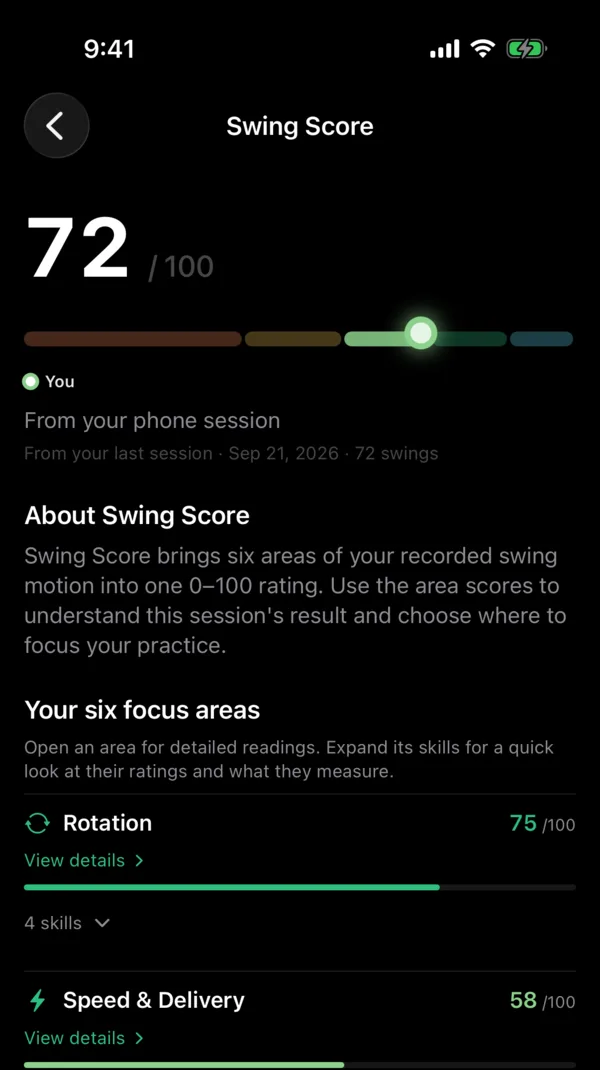
Behind it is a patent-pending no-video swing engine. It reads motion from the phone in your pocket and compatible connected sensors. The measurements available depend on your supported setup and app version.
- iOS setup: up to 17 skills in six areas. 10 come from the iPhone alone, and 7 more use supported Apple Watch or AirPods. Android measurements depend on the supported phone and connected sensors.
- Swing Score, from 0 to 100, for a session of 15 or more swings.
- Skills are compared against Tour benchmarks, and the product is built with certified golf professionals.
No camera, no tripod, no video. Just your phone and your bucket.
Wrapped, then Progress
When you finish, Wrapped tells you what moved and gives you one thing to work on next. You don't get a wall of numbers. You get the one change most likely to help.
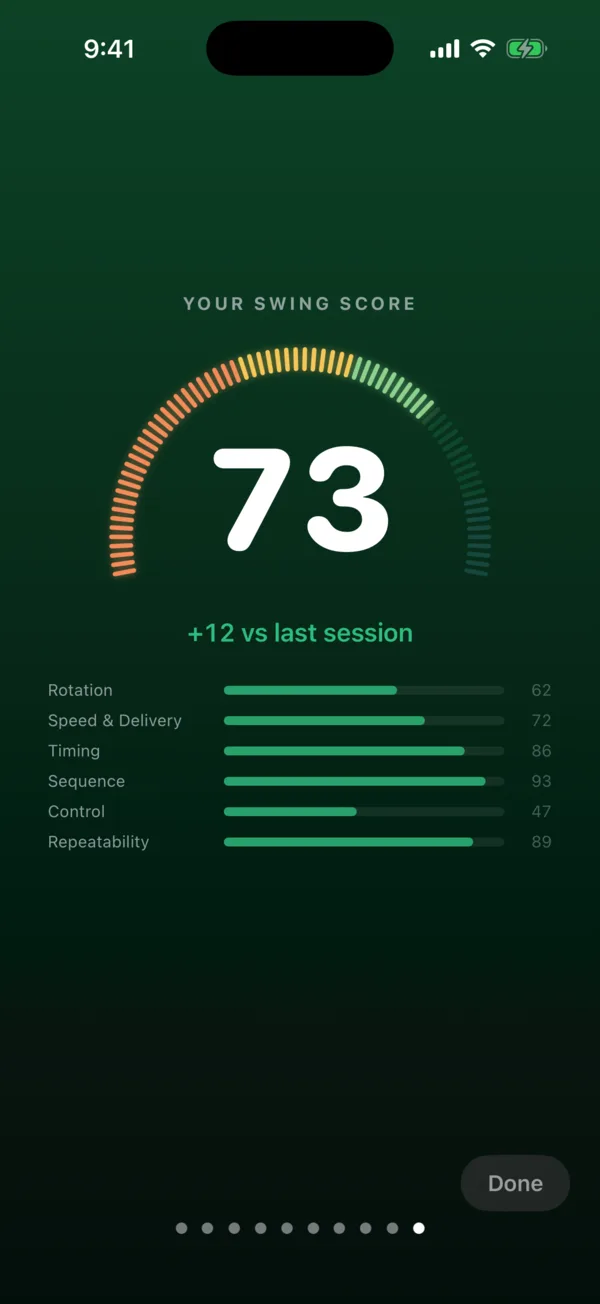
Over time, Progress shows your Swing Score trend, so you can see if you're improving. On supported iOS setups, Apple Watch also adds Virtual Club Fitting and an estimated 3D replay of your hands.
Try it on your next bucket
Available on iOS and Android. Download on the App Store or get it on Google Play. iOS requires a supported iPhone running iOS 17 or later; check Google Play for Android device compatibility. Current subscription plans and any eligible trial or offer are shown in your app before purchase.