

PocketCaddie for coaches
See the practice.
Shape the next session.
Your students swing with PocketCaddie in their pocket, with no camera and no tripod. You see who practiced, how their swing is trending and who’s slipping, and you set homework between lessons. The coach portal is free.
Free for coaches · Connected coaching currently uses supported iOS setups.
- Free for coaches
- Two-minute application
- No app needed to apply
Pick up where
their practice left off.
Open a student. Look through a practice plan. Explore the new focus and shared-session panels.
Good afternoon, Coach
10 of 12 students practised this week.
Your students, at a glance
Interactive preview · fictional students · no account access or saved changes.
Open coach sign-in ↗A first lesson.
A simpler introduction.
Open Add a student in your coach app. Bring the phones together. The student sees your coach card and chooses whether to connect.
- 01 Open the coach invitation.
- 02 Bring the phones close.
- 03 The student confirms the link.
Add a student
Bring the student’s phone close.
Ready to connectMy Coach
Ready for your first lesson.
Tap to joinA lesson is an hour. Practice is the rest of the week.
Most of your students’ swings happen when you’re not there. PocketCaddie turns that practice into something you can see, so the next lesson starts from real numbers instead of “how’s it been going?”
- 01
Apply on the web
Two minutes. We review every coach.
- 02
Connect your student
Bring supported phones together for Tap to Link, or share your coach link, QR or code. The student confirms the connection.
- 03
They practice
Phone in the pocket, no camera. Every verified swing counts.
- 04
You coach from their numbers
Trends, homework and notes between lessons, from any browser.

Built for the work between lessons.
Open the portal before a lesson and you know who put in the work, what changed and who needs a nudge.
A focus that reaches their phone
Set one focus and the next practice block. Review the baseline, current in-zone rate and target in the 8.0 focus panel.
8.0 coach portalSessions they send to you
Read the student's own note alongside a shared session, mark it seen and send encouragement from the portal.
8.0 coach portal · supported app setupLesson mode, in context
Open a student's lesson view with their practice history and supported live session signals close at hand.
Coach portal · supported iOS setupWho's practicing, who's slipping
Every student's status at a glance: on track, slipping or gone dark, with their sessions and verified swings for the week.
Web portal · appSwing trends, club by club
Tempo over twelve weeks, plus hand speed and X-factor for students using a supported iOS Apple Watch setup, a breakdown by club and a practice heatmap for each student.
Web portalHomework they actually do
Set a target of verified swings for the week, with an optional focus. It shows up on their Progress tab.
In the appA note that travels
Leave a focus note your student sees in the app, and keep private notes on each student in the portal.
App · web portalTeams and groups
Group students by team or level, with group leaderboards and averages to keep them competing.
Web portal · appSee who's on the range now
When a student starts a session, their swing count and tempo come in live.
In the app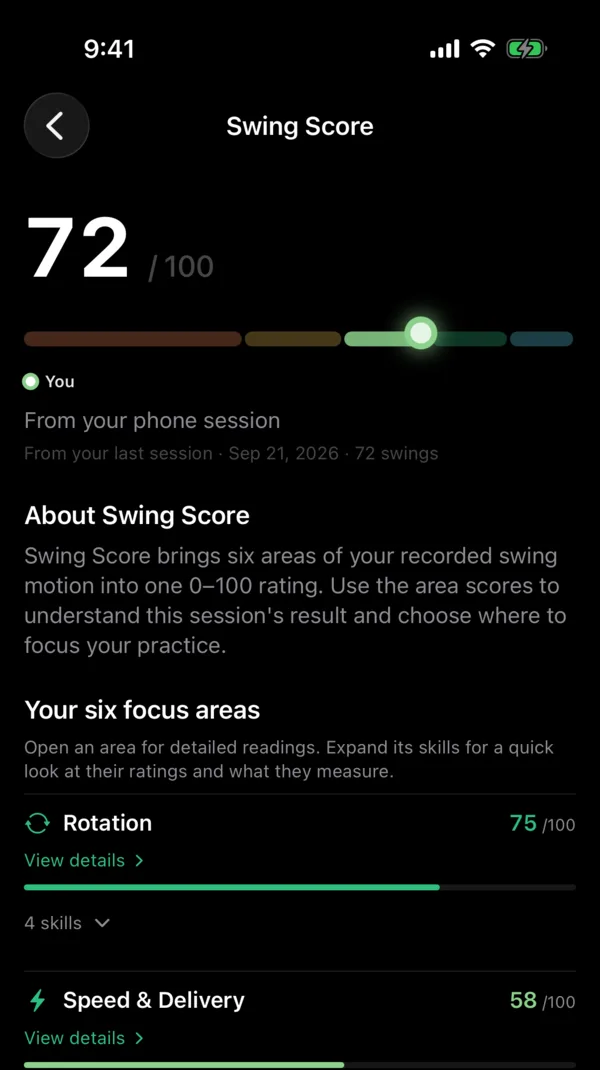
The range assistant in their pocket.
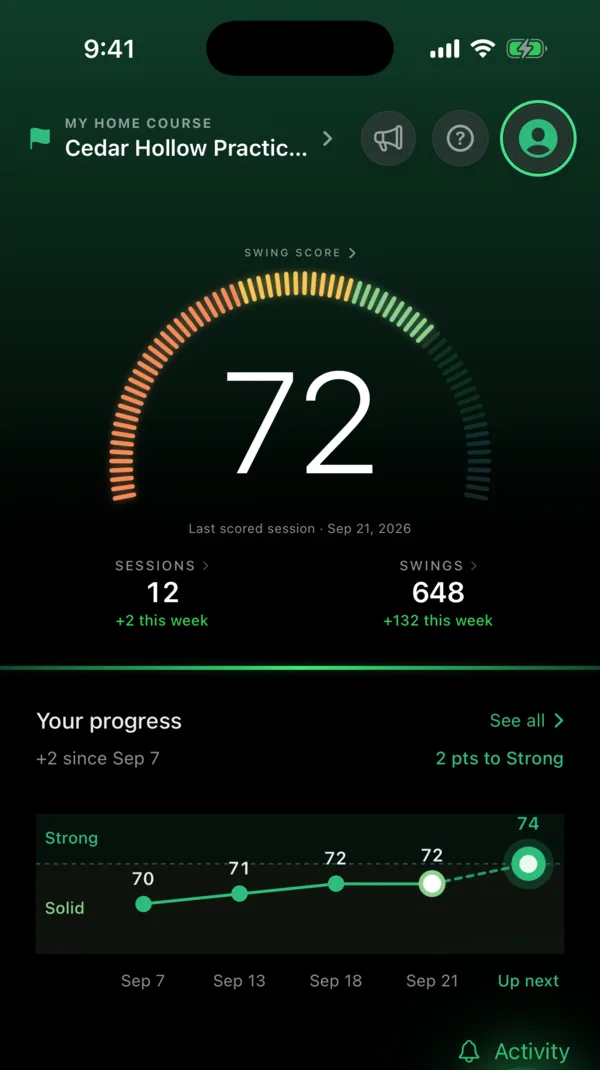
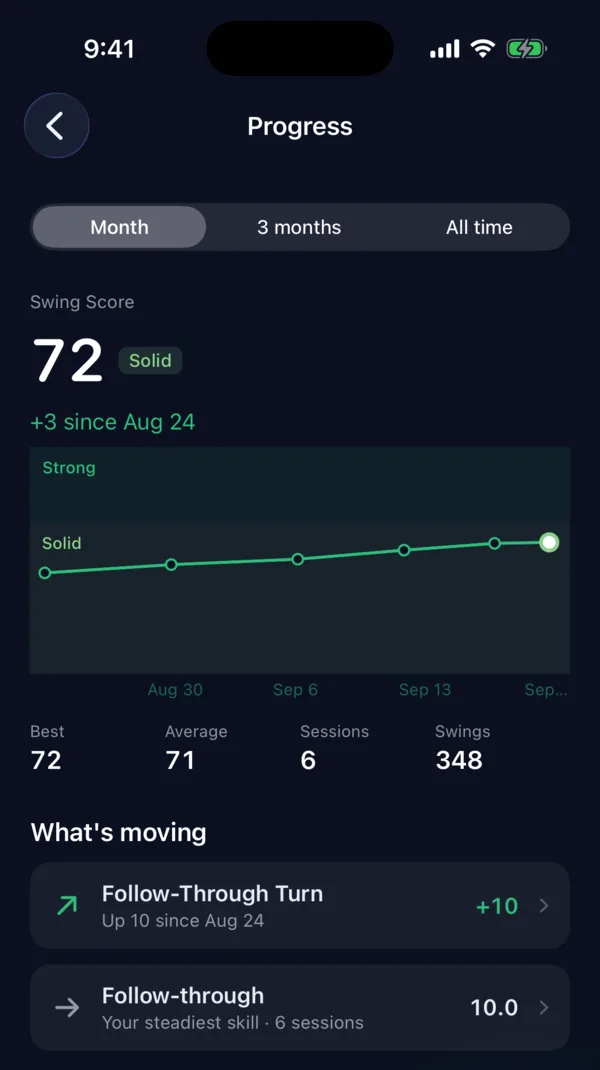
PocketCaddie reads every swing from the phone in their pocket, then scores the session and tells them what to work on next.
- Available on iOS and Android. The connected coach workflow currently uses iOS. Apple Watch (watchOS) adds wrist-motion measurements on iOS. Supported Wear OS watches, including compatible Samsung Galaxy Watch models, or compatible Garmin watches, add wrist-motion measurements on Android. Compatible AirPods add head-motion measurements on iOS.
- Session recaps and one clear focus for the next practice.
- An AI Caddie that answers from their own swings.
- Current plans are shown in the app. Your code takes 10% off an eligible iOS purchase’s first month.

Free for you. It pays when they subscribe.
- 50%of net subscription revenue from eligible purchases attributed to your code
- 12 monthsof earnings on each of those students
- $0to join. The portal is free.
However you teach.
Independent pros
Keep every student practicing between lessons, and earn when they subscribe.
Academies and clubs
One roster for your players, grouped by level or program, with leaderboards to keep them competing.
High school
See who's actually practicing before the season opener. The team tools are free for school programs.
College
Track practice across the whole team, including the days you're not at the range.
Questions coaches ask.
Platform eligibility and attribution
PocketCaddie is available on iOS and Android. Coach connections and the connected coach workflow currently use the supported iOS app. Current referral discounts apply to eligible iOS purchases. Android discounts and ambassador app linking are not available yet. Eligible attributed subscriptions purchased through the App Store or Google Play can earn partner commission. A download or click alone does not establish attribution. Google Play commission currently covers paid USD orders; trials, unsupported offers and prorated first replacement charges do not earn commission.
Can Android students connect to my coach roster?
PocketCaddie is available on Android, but coach linking and the connected coach workflow currently use the supported iOS app. Android coach linking is not available yet.
Do I need the app to apply?
No. The application takes two minutes on the web. Once you're approved, we'll walk you through connecting your roster.
Why do you review coaches?
Students share their practice with you, so we check that every coach actually teaches. A website, a facility or school page, or a coaching profile is all it takes.
What does it cost?
Nothing. The coach portal is free, and you earn when your students subscribe.
Do my students pay?
See current plans in the app. Your code takes 10% off the first month of an eligible iOS purchase. Android referral discounts are not available yet.
What can I see?
Only students who have joined your roster, and only their practice: sessions, verified swings and swing trends. There's no video, and students can leave your roster at any time.
How do payouts work?
You earn 50% of net subscription revenue from eligible purchases attributed to your code, for 12 months. Net means after the app store's fee (Apple or Google). Payouts go through Stripe.
Can our academy or team join together?
Yes. Each coach applies, and you can group students by team or level inside the portal. Tell us about your program in the application.

Coach the practice, not just the lesson.
Apply in two minutes. We review every application and get back to you by email.