

Brand kit
Everything you need to show PocketCaddie.
Logos, colors, type and approved copy for press, partners and creators. Download it all at once, or grab a single file below.
.zip · about 203 KB · PNG, SVG, README and creator brief
Logo
The golfer and the name.
Use the lockup wherever it fits and the mark on its own when space is tight. Every file has a transparent background.




App icon
The PocketCaddie app icon. Store-specific screenshots must show the actual app for that platform. Don't add your own corner rounding.
Do
- Leave clear space around the logo at least as wide as the golfer’s head.
- Keep the lockup at least 120 px wide and the mark at least 24 px tall on screen.
- Use the green, white or Ink versions as supplied.
Don’t
- Recolor, stretch, rotate, outline or add shadows to the logo.
- Rebuild the wordmark in another typeface.
- Place it on busy photos without enough contrast.
- Use it in a way that suggests a partnership or endorsement we haven’t agreed to.
Color
Green on deep green.
Ink is the canvas. Logo Green belongs to the mark and Lime does the highlighting. Keep bright green for one thing per layout.
Logo Green#39FF14
The mark and the app icon.
Lime#BEFF43
Highlights, key words and buttons.
Ink#06180E
Backgrounds, and text on light surfaces.
Text#F4F7EE
Type on Ink.
App Green#47E08C
Inside the app: Start, live and progress.
Type
Two free typefaces.
Both are on Google Fonts, so anyone can match the look.
ArchivoHeadlines · ExtraBold 800 · width 112Google Fonts ↗
Skip the tripod. Coach from your pocket.
GeistText · Regular 400 and SemiBold 600Google Fonts ↗
Start a session. Pocket your phone. Swing. PocketCaddie reads every swing, scores your session and tells you what to work on next.
Name and copy
How to write about us.
The name
PocketCaddie: one word, capital P and capital C.
Not Pocket Caddie, Pocketcaddie or PocketCaddie AI.
Tagline
Skip the tripod. Coach from your pocket.
In one line
The no-video golf swing coach.
Sign-off
Pocket. Swing. Improve.
Short description
PocketCaddie is the coach in your pocket that learns your swing. Tap Start, put your phone in your pocket and hit balls, using the phone and watch you already own. Every session gets a Swing Score from 0 to 100, AI Caddie answers from your recorded swings, and Progress shows if you’re improving. On iOS, Live Round brings it to the course. Available on iOS and Android. No camera, no tripod.
Full description
Your next bucket, with PocketCaddie in your pocket. Tap Start, slide your phone into your front pocket and start hitting. PocketCaddie detects every swing on its own. No camera, no tripod, no taps between shots. Behind it is a patent-pending swing engine that reads your swing from the phone’s motion sensors. Apple Watch (watchOS) adds wrist-motion measurements on iOS. Supported Wear OS watches, including compatible Samsung Galaxy Watch models, or compatible Garmin watches, add wrist-motion measurements on Android. Compatible AirPods add head-motion measurements on iOS. Supported iOS setups measure up to 17 skills. Your Swing Score summarizes a session of 15 or more swings. Features depend on your platform, connected sensors and app version. When you finish, your caddie tells you what moved and the one thing to work on next. Over time, Progress shows your Swing Score trend, and on supported iOS setups, Apple Watch adds club fitting and an estimated 3D replay of your hands. PocketCaddie is the driving range assistant that fits in your pocket. Available on iOS and Android, on the App Store and Google Play. Current plans are shown before purchase. About PocketCaddie: PocketCaddie is a no-video golf coach for iOS and Android that learns your swing over time, built on a patent-pending no-video swing engine. Golfers put their phone in their pocket, hit balls and get a Swing Score and Wrapped after each session, with Progress over time. PocketCaddie is made by Pocketsports, Inc., founded by Nathan Shapiro. Available on the App Store and Google Play. Features depend on your supported setup and app version. pocketcaddie.io
Creator brief
Show your setup. Include both stores.
Start future creator work with the phone platform, app version and sensors actually used. Keep iOS examples labeled, demonstrate Android with the real Android app, and include both-platform availability in shared content.
Current platform brief
A reusable setup checklist, approved CTA, store links and guidance for truthful feature and offer claims. Actual equipment obligations and signed agreements still apply.
Updated October 8, 2026. Included in the ZIP.
Product
Show the real app.
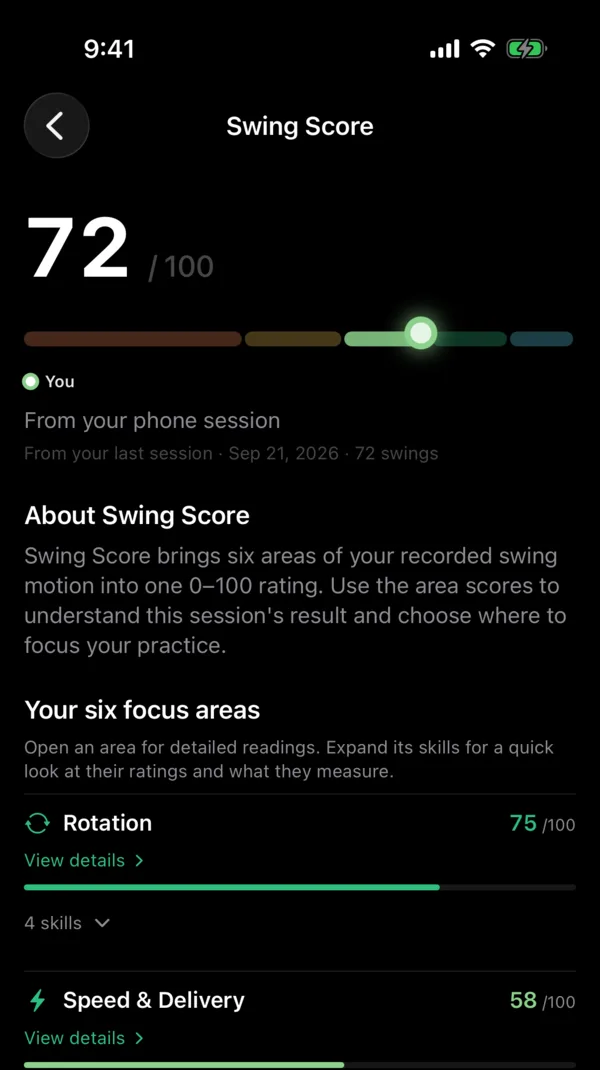
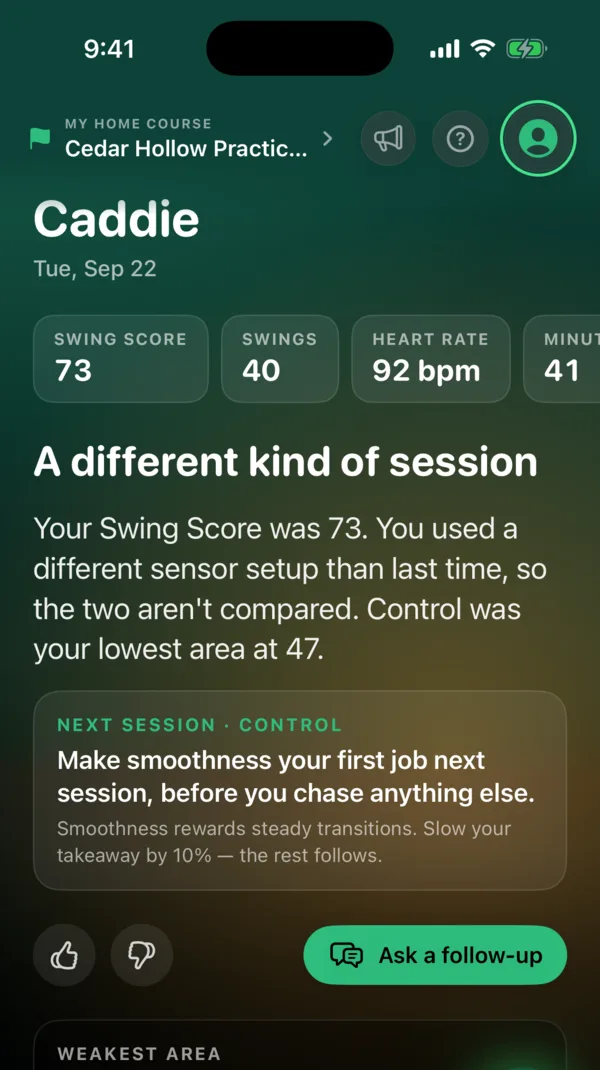
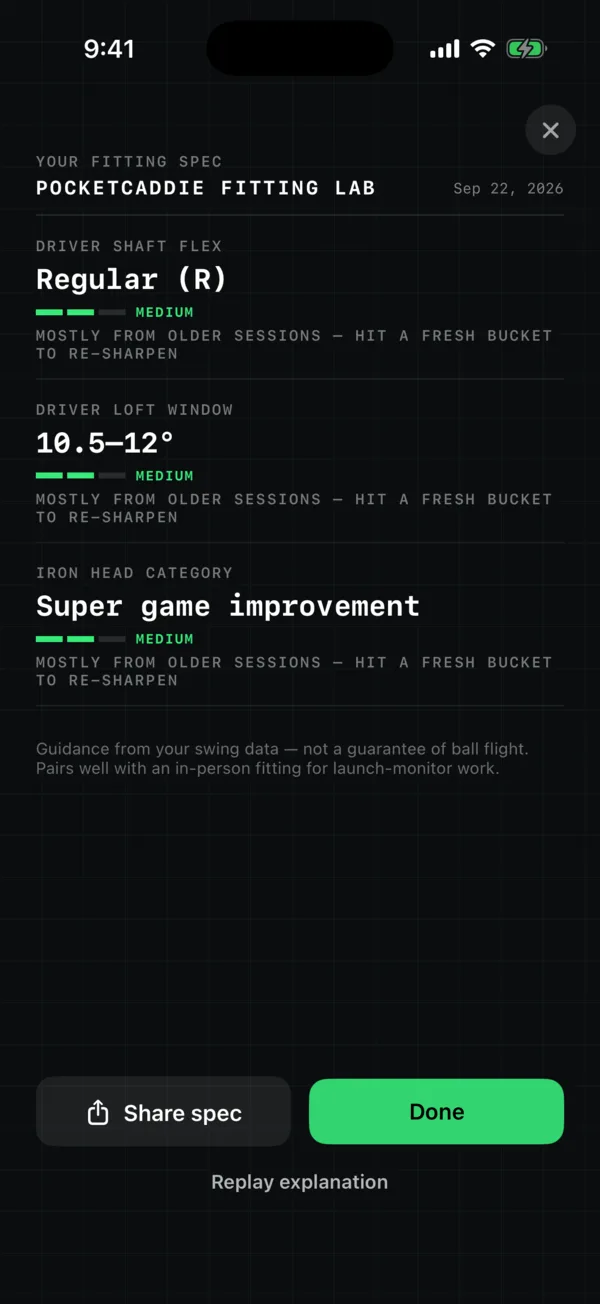
Use real screens, like these or the ones on our App Store page or Google Play page. Please don’t mock up or redraw the interface. Label the platform shown. Apple Watch and AirPods sensing examples apply to supported iOS setups. Supported Wear OS watches, including compatible Samsung Galaxy Watch models, or compatible Garmin watches, add wrist-motion measurements on Android. Only show measurements your demonstrated setup actually provides. For downloads, use the separate official store badges. Apple’s official Download on the App Store badge and Google Play badge guidance.

Writing about PocketCaddie?
We’re happy to help with interviews, extra assets or a demo account. Email support@pocketcaddie.io.